



Discover essential web design tips, including grids, Figma, accessibility, typography, and productivity techniques to create modern, user-friendly websites.
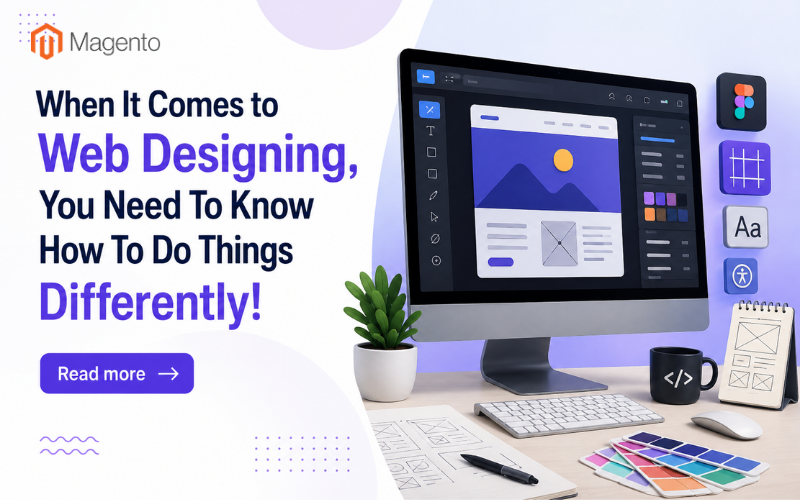
Most people starting a career in web design tend to stick to the proven methods. With constant technological changes, what seemed relevant yesterday might be irrelevant tomorrow. Good web design is not only about how a website looks. Many other factors affect a website's appearance. While designing a website, here are some of the things you can try differently:
Pay Importance to Grids
Grids are an integral part of web design. Most designers and developers design without grids. However, once you learn and implement grids in your web design work, you will understand the difference. With grids, you have a better understanding of how things align. Along with fonts and colors, and some parts of Figma, learn to use grids. Why don’t you browse the site of a leading website design company to see how they are incorporating this in their designs and layouts?
A grid system creates consistency throughout a website. It helps organize content in a way that feels balanced and visually appealing. When elements such as images, text blocks, buttons, and forms are aligned properly, users can navigate a website more comfortably. Grids also make responsive design easier because they provide a structured framework that adapts to different screen sizes.
Many beginners focus heavily on colors and visual effects while overlooking the importance of layout. However, even the most attractive design can look unprofessional if elements are poorly aligned. Learning grid systems early in your web design journey can significantly improve the quality of your work and help you create websites that look polished and professional.
Figma Is Important
There was a time when Adobe XD was used extensively to design websites. Over the years, it became an industry game-changer. Even before that, people used Adobe Photoshop to design websites. After Adobe XD came Figma; Figma transformed what web design could be. Prototyping became more technical. Clients could see the results more clearly, and developers had a clearer idea of what the designer wanted. Most web designing companies recommend learning Figma and prototyping. Designers can also explore the official Figma documentation to learn advanced prototyping techniques.
Figma's cloud-based nature allows teams to collaborate in real time, making it one of the most popular design tools available today. Designers, developers, project managers, and clients can all review a project simultaneously, reducing communication gaps and speeding up project completion.
Another major advantage of Figma is its ability to create interactive prototypes. Instead of showing static images of a website, designers can create clickable mockups that simulate the user experience. This helps identify design flaws before development begins, saving both time and money.
As businesses increasingly prioritize user experience, the ability to create detailed prototypes has become a valuable skill. Learning Figma not only enhances your design capabilities but also improves collaboration with development teams.
Accessibility Is Important

Accessible colors are crucial. In web design, you cannot pick up any color and use it. Google rewards websites that support accessibility. You cannot use colors on a website that you see in a print ad. Websites have a set of rules, and you must adhere to them strictly. Do not use any color you want.
Accessibility guidelines such as the Web Content Accessibility Guidelines (WCAG) provide industry standards for building inclusive websites. It includes readable typography, proper contrast ratios, keyboard navigation, image alt text, and screen reader compatibility. Designing with accessibility in mind ensures that people with disabilities can comfortably access and use your website.
An accessible website benefits everyone, not just users with specific needs. Clear navigation, readable text, and intuitive layouts improve the overall user experience. Search engines also favor websites that follow accessibility best practices, which can positively impact search rankings.
Modern web design is no longer just about aesthetics. It is about creating digital experiences that are inclusive and usable for the widest possible audience. By paying attention to accessibility from the beginning, designers can create websites that serve users effectively while complying with industry standards.
Use Free Fonts
Google Fonts are the best and safest when it comes to designing a page. There are amazing fonts available, though most businesses don't consider the legal side of them, even when they are royalty-free. Google Fonts are free and have many options for your web design.
Typography plays a crucial role in website design because it directly affects readability and user engagement. The right font can communicate professionalism, creativity, trustworthiness, or innovation depending on the brand's goals.
Google Fonts offers hundreds of font families that are optimized for web use. Since these fonts are hosted efficiently, they help websites load quickly while maintaining a consistent appearance across different devices and browsers.
Using too many fonts on a single website can create visual clutter. Most professional designers limit themselves to two or three complementary font families. A combination of a clean heading font and a readable body font often creates the best results.
By choosing Google Fonts, designers can avoid licensing complications while gaining access to a vast library of high-quality typefaces suitable for nearly every project.
Find a Good Teacher

You will be spoilt for choice when it comes to learning resources. There are a host of learning tutorials on YouTube. Web design and development experts share lessons on using Figma or Adobe. Start with the basics, then move to the advanced stage. However, you will learn better from real-life experience and client dealings.
The internet offers countless resources, but not all of them provide structured learning. A good mentor or teacher can help you avoid common mistakes and guide you through practical challenges that tutorials may not cover.
Web design involves much more than software skills. It requires understanding client expectations, project timelines, user behavior, branding principles, and business goals. These lessons often come through hands-on experience and mentorship.
Participating in design communities, online forums, and networking groups can also accelerate your learning process. Receiving feedback from experienced professionals helps you improve your designs and gain confidence in your abilities.
The best designers never stop learning. New tools, technologies, and design trends emerge regularly, making continuous education an essential part of long-term success.
Invest in a Second Screen
Having a second screen while working on a web design project helps a lot. Professionals at leading companies like BigDropInc.com see the changes that they make on a bigger screen, while they can access their notes, etc., on the other screen.
A dual-monitor setup improves productivity significantly. Designers can keep their design software open on one screen while reviewing references, documentation, client feedback, or browser previews on the other. This reduces constant switching between tabs and applications.
A larger workspace also makes it easier to compare design variations and identify inconsistencies. Many professional designers consider a second monitor a worthwhile investment because it enhances efficiency and reduces workflow interruptions.
As projects become more complex, having additional screen space can help you stay organized and maintain focus. Whether you are working on layouts, prototypes, or responsive designs, a second monitor can improve your overall workflow.
The Role of Creativity in Modern Web Design
While technical skills are important, creativity remains at the heart of successful web design. Users visit websites expecting not only functionality but also engaging experiences. Designers should experiment with layouts, animations, whitespace, and storytelling techniques to create memorable digital experiences.
However, creativity should always support usability rather than distract from it. The best websites combine innovative design with intuitive navigation, ensuring visitors can find information quickly and efficiently.
By balancing creativity with functionality, designers can create websites that stand out while still meeting user expectations and business objectives.
Final Thoughts
Web design has evolved greatly over the years. You need to learn the right things at the right time. There is no point in learning anything and everything. Follow the above-mentioned guidelines, and you will be good to go.
You can now design an enticing website with various online tools within a few minutes. However, the expertise and insight of veteran web development firms give an extra edge. As technology continues to evolve, web designers must stay adaptable, continuously update their skills, and embrace new approaches to remain competitive.
Mastering grids, learning Figma, focusing on accessibility, using reliable fonts, finding quality mentorship, and investing in productivity tools are all steps that can help you become a more capable and successful web designer. By combining these practices with creativity and a commitment to continuous learning, you can build websites that are visually appealing, user-friendly, and ready for the future.
Read more
1. What a Business Website Design Agency Does That a Freelancer Cannot
2. How and Why SEO for HVAC Company Websites Strongly Outperforms Paid Ads in 2026
3. The Rise of Composable Commerce: What Magento Merchants Need to Know
Related Posts
- How Shoppers Discover Products in AI Answers - What Ecommerce Sites Should Do
- Best ESG Reporting and Disclosure Software for US Enterprises in 2026
- How Entrepreneurs Can Turn Business Success Into Lasting Wealth
- Rust for E-commerce: When Performance-Critical Backends Outgrow PHP
- E-commerce Virus Removal: How to Detect and Clean an Infected Website
- Top Data Privacy Management Software for 2026