



Enterprise servers eventually reach a point where IT teams must decide what comes next. The OEM may reduce support, hardware may age, or a new generation may offer better performance. At that stage, businesses usually face two choices: replace the server or keep it running with independent support.
A server refresh gives the business newer hardware, updated technology, and a fresh support lifecycle. Keeping existing servers under third-party support can avoid an early replacement when those systems still handle their workloads well. Neither option is automatically right for every server.
The decision should depend on workload needs, hardware condition, security requirements, operating costs, and migration complexity. Looking at those factors together helps businesses refresh infrastructure when there is a real reason to do so.
How Third-Party Server Maintenance Changes the Refresh Decision
Third-Party Server Maintenance gives businesses another option when OEM coverage becomes expensive, limited, or unavailable. Instead of replacing functioning servers, organizations can continue receiving hardware support through an independent provider. This separates the server replacement schedule from the manufacturer's support lifecycle.
Keep Useful Hardware in Production Longer
An older server may still provide enough processing power, memory, and storage for its assigned workload. Replacing that system does not automatically create a meaningful business benefit. Continued maintenance can preserve the existing environment while the hardware still performs reliably.
This approach works particularly well for stable workloads with predictable demand. An internal application may have little need for newer processors or additional capacity. Keeping the existing platform avoids replacing equipment that still serves its purpose.
Maintain Hardware After OEM Support Changes
OEM support options change as server platforms move through their lifecycle. IBM, for example, defines end of support for hardware as the point where standard technical, field, and parts support ends. Extensions or other support arrangements may still exist for selected products.
Independent providers can continue supporting many systems after standard manufacturer coverage changes. They may provide remote troubleshooting, replacement parts, and onsite engineers. This gives IT teams more time before committing to a hardware migration.
Match Support to Workload Importance
Not every enterprise server needs the same support level. A revenue-generating production system may require fast onsite response, while a development server can tolerate longer recovery times. Support decisions should reflect those differences.
Third-party contracts can often assign different SLAs across the environment. Critical systems receive stronger coverage while lower-risk equipment receives a less expensive service level. This prevents companies from treating every aging server as an identical risk.
Why a Server Refresh Is Not Automatically the Safer Option
A hardware refresh can reduce several risks associated with aging infrastructure. New platforms may provide better performance, improved power efficiency, newer management features, and a fresh OEM support period. These advantages become important when existing equipment can no longer meet technical requirements.
However, replacing a server introduces its own project risk. Teams must procure hardware, configure the new environment, migrate applications, test dependencies, and plan production cutovers. Older applications can make these projects much more difficult than the hardware purchase itself.
Refresh decisions should therefore solve a clear infrastructure problem. Replacing a stable server only because an OEM milestone arrived may create cost and migration work without changing business performance. The stronger case for refresh appears when the existing platform creates measurable technical, security, or operational limitations.
When Keeping Existing Servers Makes More Sense

Extending server life works best when the infrastructure remains stable and suitable for its workload. IT teams should confirm the wider platform can still meet business and security requirements.
• Server utilization remains low for current workload requirements.
• Applications still depend on older hardware or software.
• Replacement projects would disrupt important business operations significantly.
• Local spare parts remain available for covered systems.
• Current performance still meets agreed service level targets.
• Security requirements remain achievable on the existing platform.
• Planned migration work needs additional preparation and testing time.
These conditions do not mean the server should remain indefinitely. They indicate that an immediate refresh may provide limited value compared with maintaining the existing system.
Server Refresh vs Third-Party Maintenance: Key Differences
Server refresh and third-party support address infrastructure lifecycle problems in very different ways. The table below shows where each approach normally fits.
Factor | Server Refresh | Third-Party Maintenance |
Initial cost | Requires new hardware and migration spending | Maintains existing hardware with support costs |
Hardware lifespan | Starts a new equipment lifecycle | Extends the current equipment lifecycle |
Migration required | Usually requires workload migration | Usually keeps workloads on existing systems |
Performance | Can provide major performance improvements | Keeps current performance characteristics |
OEM support | New systems can receive current OEM coverage | Support comes through an independent provider |
Parts replacement | Newer parts are generally easier to source | Provider maintains parts for supported older systems |
Firmware access | Current OEM firmware normally remains available | OEM-entitled firmware may require separate consideration |
Application compatibility | Older applications may need changes | Existing application environment remains largely unchanged |
Downtime risk | Migration introduces planned transition risk | Aging hardware can introduce failure risk |
Power efficiency | Newer hardware may use resources more efficiently | Older hardware continues using existing power profile |
Capital spending | Requires larger upfront investment | Can delay major hardware purchases |
Refresh timing | Hardware is replaced immediately | Replacement can move to a later planned date |
Best fit | Limited, risky, or underperforming systems | Stable systems that still meet business requirements |
The choice becomes clearer when businesses consider the complete cost and risk of each approach. Hardware price alone does not capture the cost of a refresh, while maintenance price alone does not capture the risk of retaining an aging platform.
Compare the Full Cost Before Choosing a Server Refresh
Comparing annual maintenance against the price of a new server gives an incomplete picture. A refresh can trigger several other expenses that need to enter the decision. Some of those costs can be larger than the hardware itself.
Include Migration and Engineering Work
New hardware needs installation, configuration, testing, and production deployment. Applications and databases may also need to move to new environments. Internal engineers or external specialists must spend time completing that work.
Complex applications can require lengthy compatibility testing. Integrations may also need changes before the workload moves safely. These costs should be included when comparing refresh against continued maintenance.
Consider Software and Licensing Changes
A hardware refresh can affect operating systems, virtualization platforms, databases, and application licenses. Older software may not support the new server generation. The business may then need upgrades alongside the hardware project.
Licensing models can also change when processors, cores, or virtualization environments change. A seemingly simple server purchase can therefore affect several technology budgets. IT teams should identify these dependencies before approving replacement.
Calculate the Cost of Keeping Old Hardware
Retaining equipment also has a cost. Older servers may require more repairs, consume more power, or create increasing parts risk. Maintenance becomes less attractive when these costs start rising quickly.
Failure patterns should be reviewed across the entire server generation. One isolated component replacement may not indicate a problem. Repeated failures across several systems can signal that refresh is becoming the better financial choice.
How EOSL Should Influence the Decision
An End of Service Life date should trigger a technical review rather than an automatic purchase. OEM support availability changes as products age, and the available options depend on the manufacturer and platform. Dell, for example, notes that PowerEdge support life depends partly on hardware availability and that Post Standard Support may be available for eligible systems outside normal warranty coverage.
The bigger question is what support disappears when the lifecycle changes. Hardware repair, firmware development, machine code, security updates, and software support do not always follow identical timelines. IBM noted this distinction when Power8 systems reached end of service, including the effect on full hardware maintenance, machine code updates, and security patches.
This means hardware repairability alone should not determine the decision. A provider may still replace a failed power supply or system board while the wider platform faces software or security limitations. IT teams should examine both hardware support and the complete technology stack before extending server life.
Signs a Server Refresh Is the Better Choice
Third-party support should extend useful infrastructure life, not preserve systems that create unnecessary risk. Several conditions can indicate that replacement now makes more sense.
• Performance no longer supports normal production workload growth.
• Required operating systems cannot run on existing hardware.
• Firmware limitations create serious security or compliance concerns.
• Hardware failures are becoming more frequent across systems.
• Power and cooling costs outweigh continued maintenance savings.
• New applications require capabilities the platform cannot provide.
• Parts availability cannot meet required recovery time objectives.
When several of these issues appear together, continued maintenance can become false economy. The business may save on the hardware purchase while accepting higher operational risk elsewhere.
Build a Hybrid Strategy With Third-Party Maintenance
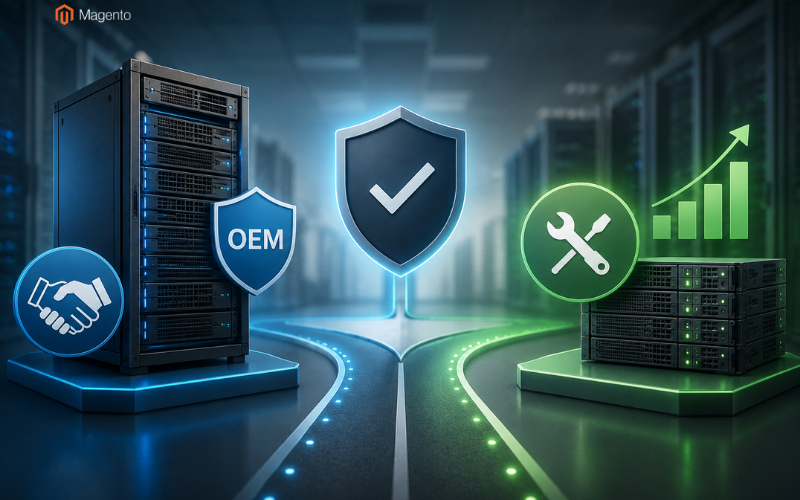
Third-Party Maintenance does not have to replace server refresh projects completely. Many environments can use independent maintenance and planned hardware replacement at the same time. The goal is to choose the right path for each server instead of applying one lifecycle policy everywhere.
Keep New and High-Risk Systems With the OEM
New infrastructure often benefits from remaining under the manufacturer's standard support program. Critical systems may also need direct OEM engineering, firmware access, or specific contractual coverage. Those requirements can justify keeping manufacturer support.
The same rule can apply to platforms undergoing rapid development. New firmware, compatibility updates, and vendor engineering may provide meaningful value. Moving those systems away from OEM coverage too early can remove resources the business still needs.
Move Stable Systems Into an Extended Support Phase
Mature servers with predictable workloads are different. If performance remains acceptable and security requirements can still be met, immediate replacement may provide little value.
Independent maintenance can create an additional lifecycle stage for those systems. IT teams continue covering hardware while planning replacement around budget and application readiness. Refresh work then becomes planned rather than deadline-driven.
Set Clear Retirement Triggers
Every server kept beyond its original support cycle should have defined replacement triggers. These might include repeated failures, unsupported software, rising maintenance costs, unavailable parts, or insufficient performance.
Teams should review these triggers regularly rather than assuming the extension will continue indefinitely. Once the platform crosses an agreed risk threshold, the refresh project can begin.
This creates a controlled lifecycle model. OEM support covers newer infrastructure, independent maintenance extends suitable systems, and refresh occurs when business or technical conditions justify it.
Conclusion
Server refresh and third-party maintenance are not simply competing support options. They represent two different ways of managing the useful life of enterprise infrastructure.
A refresh makes sense when existing servers restrict performance, security, software support, reliability, or future growth. New hardware can remove those limitations and start a new infrastructure lifecycle. However, businesses should include migration, licensing, testing, and engineering costs when evaluating that decision.
Continued maintenance can make more sense when servers remain stable and workloads have no immediate need for newer hardware. It gives IT teams additional time to plan migrations and spread infrastructure spending across a more useful schedule.
Many organizations will benefit from using both approaches. Refresh the systems where replacement solves a real problem, and maintain the servers that still perform their jobs reliably. That creates an infrastructure strategy based on actual business needs instead of replacing hardware simply because a date appears on an OEM lifecycle calendar.
Related Posts
- How to Start an Automotive Dropshipping Business in 2026
- 12 Best Custom Software Development Companies for Scalable EdTech Platforms in 2026
- How to Build a Sustainable Backlink Strategy for an E-commerce Website
- Top 5 Enterprise Laptop Return Shipping Solutions for Remote Workforce Asset Recovery
- International Link Building for E-commerce Brands: A Practical Guide
- Server Refresh vs Third-Party Maintenance: Which Option Makes More Sense?