



Learn how to choose the right dedicated server for your business. Compare CPU, RAM, storage, bandwidth, and managed hosting options.

Finding a cheap dedicated server India that actually delivers on performance is only half the battle. The harder part is knowing what to look for before you commit, because picking the wrong configuration means either overpaying for resources you don't need or underpowering a server that your business depends on.
Here's a practical guide to making that decision without overcomplicating it.
Find Out Your Website Requirements
Before choosing a plan, evaluate your website's existing needs. How much traffic does your website handle daily? What kind of applications are running on it? How much storage does your data actually require right now, and how fast is that growing?
Most businesses either overestimate what they need and pay too much or underestimate and end up upgrading within months. Neither is ideal. Look at your existing hosting analytics, check your average and peak resource usage, and use that as your starting point instead of guessing.
Processor Choice is Important
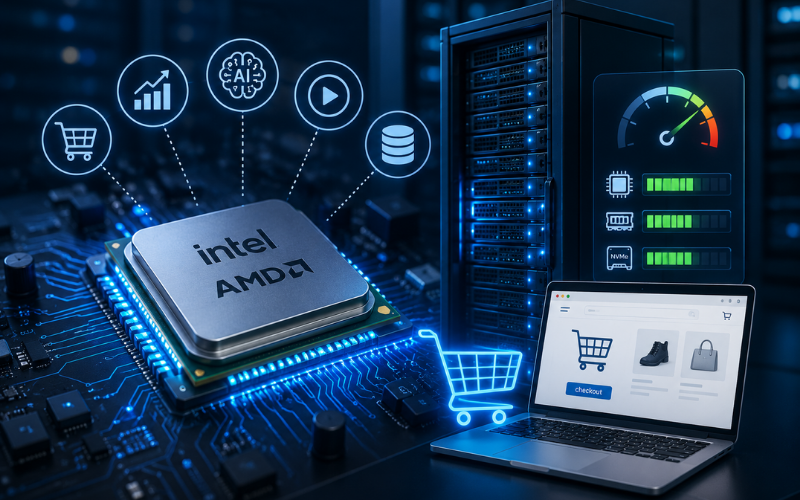
The CPU you choose plays an important role in how well your server handles several requests, processes data, and runs applications. For most business websites and eCommerce stores, a modern Intel or AMD processor with solid clock speeds handles things comfortably. If you're running AI workloads, video processing, or large databases, you'll want to look at higher core counts and more processing power.
For businesses running resource-intensive eCommerce platforms, such as those usingMagento hosting service, choosing a dedicated server with sufficient CPU power, RAM, and NVMe storage can significantly improve performance and checkout speed.
Don't just look at the model name. Look at what workload it's actually built for.
RAM: More Than You Think You Need
RAM is where a lot of businesses get caught short. It sounds like enough until your traffic spikes and multiple processes are running simultaneously. A general rule of thumb is to go slightly above your current requirement, since RAM is one of the harder things to add on the fly without interruption. Most mid-sized business websites can run effectively between 16GB and 64GB RAM, but that range shifts quickly depending on what you're running.
Storage Type Makes a Bigger Difference Than Storage Size
NVMe SSD storage is significantly faster than traditional hard drives and even older SSD formats. If your website is database-heavy, handles a lot of read and write operations, or needs fast page load times for Indian visitors, NVMe is worth prioritising over just looking at how many gigabytes you're getting. A smaller NVMe drive outperforms a larger traditional drive in real-world usage almost every time.
Managed vs Unmanaged: Be Honest About Your Team
This decision trips up a lot of businesses. Unmanaged dedicated servers give you full control but also full responsibility. Security patches, software updates, monitoring, backups, all of that sits with you. If your team has the technical skills and bandwidth to handle server administration, unmanaged hosting gives you more flexibility at a lower price point.
If you don't have dedicated technical resources, managed hosting is the smarter investment. Paying a bit more for managed support means someone qualified is watching your server around the clock, and you're not scrambling to find expertise when something breaks at an inconvenient time.
Bandwidth and Network Speed
Most of the time, high-traffic websites often use a lot of bandwidth, specifically when they host large websites or run a busy eCommerce store. Therefore, always look for a provider that offers at least 1 Gbps network connectivity and be clear about whether bandwidth is metered or unmetered.
Server Location for Indian Audiences
If your visitors are primarily in India, your server should be in India too. Hosting your website on a local server means lower latency and faster pages for your audience. It directly affects user experience, bounce rates, and search rankings. Thus, a server sitting in the US or Europe adds unnecessary distance between your content and your customers.
How can Bare Metal Servers be Helpful?

For businesses that need maximum performance without any virtualisation layer, bare metal servers hosting is worth considering. Since your applications run directly on the physical server, you can use its resources without any virtualisation layer in between.
Why host.co.in Makes This Decision Easier
host.co.in ticks the boxes that actually matter to Indian businesses. The servers are located in Mumbai and Pune data centers, so the local users experience lower latency and faster page load times. You can access powerful features like NVMe SSD storage, 1 Gbps network speed, and a 99.95% uptime guarantee.
Based on your hosting requirements, you'll find both managed and unmanaged options, and also the renewal cost stays the same after your first term.
Conclusion
If you're ready to move to a dedicated server that's built around what Indian businesses actually need, explore host.co.in's dedicated server plans and find the right configuration for where your business is headed.
Related Posts
- Evaluating the Benefits of Shopify Plus for Enterprise Growth
- How AI APIs Are Changing Modern eCommerce Website Development
- Why Configuration Management Matters for Magento and Cloud-Hosted Stores
- Best AI Website Builder in 2026: Tested, Ranked, and Compared
- Why Customer Service Calls Are Getting Answered by AI Agents
- How to Choose the Best Data Quality Tools for E-commerce and Software Teams