



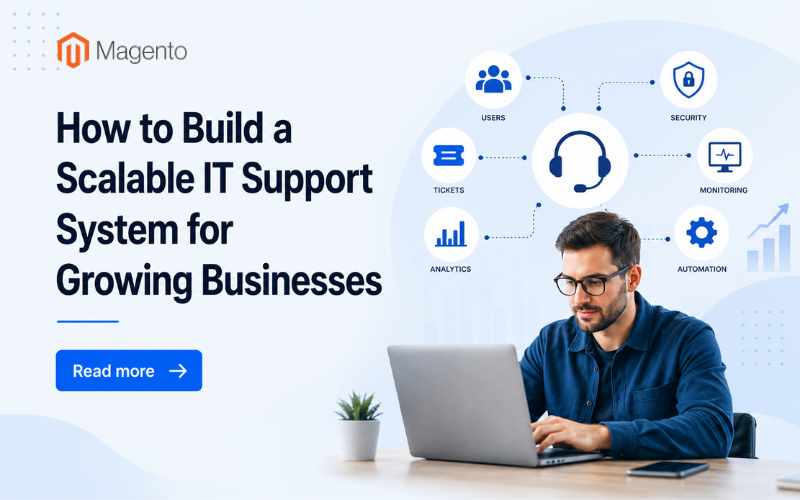
Growth creates pressure behind the scenes. More employees, more devices, and more software lead to rising support requests and greater operational complexity. A scalable IT support system ensures your business expands without overwhelming your team or slowing productivity.
Audit Your Current IT Support Gaps
Begin with a clear view of what is not working. Recurring tickets, slow response times, and unclear ownership often signal structural problems rather than staffing shortages.
SMBs tend to prioritize security, vendor reliability, and training when choosing software.
Weak onboarding and undocumented processes create risk as your team grows. Clear documentation, shared knowledge bases, and defined escalation paths reduce confusion before scaling multiplies it.
Implement a Centralized Ticketing System
Ticketing is the operational core of any scalable IT support system. Without a centralized platform, requests get lost in inboxes and accountability fades. A unified system:
• Captures every issue
• Tracks response times
• Surfaces trends in workload
The best cloud ticketing tools for IT teams integrate with existing PSA solutions and connect with RMM, cybersecurity, and data protection tools, while offering comprehensive analytics and technician time tracking. Modern ticketing platforms also automate ticket creation from monitoring alerts, email requests, and customer portals, helping IT teams prioritize issues, enforce SLAs, and maintain complete visibility across support operations.
Centralized ticketing turns reactive support into measurable performance. Leaders can see where delays happen and adjust staffing or automation accordingly.
Standardize Processes Across Tools
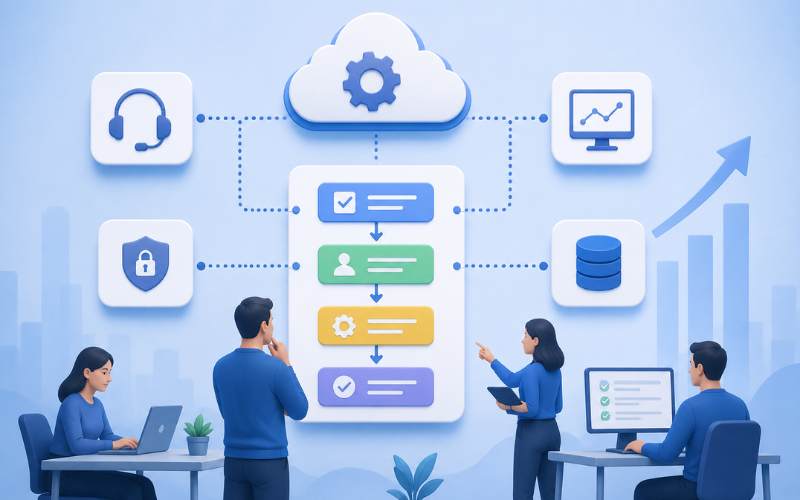
Consistency allows teams to grow without losing quality. Standard operating procedures ensure technicians resolve similar issues the same way, regardless of who handles the request.
Cloud adoption continues to rise because businesses need scalability and cost control.
Standardized workflows inside cloud platforms make it easier to add users, departments, or locations without redesigning the entire system. Process consistency also reduces training time for new hires.
Automate Repetitive Support Tasks
Manual repetition drains resources. Password resets, patch deployment, and device monitoring should not require constant human intervention.
Coverage from ITPro highlights how managed services are shifting toward automation and strategic enablement. Automation improves response times while freeing technicians to focus on complex problems that require expertise and judgment.
Start with high-impact automation areas, such as:
• Automated ticket categorization and routing
• Scheduled patch management and system updates
• Self-service portals for common user issues
Each automated layer increases efficiency without increasing payroll.
Integrate Security and Monitoring From Day One
Growth expands your attack surface. Remote workers, new applications, and expanded infrastructure create more entry points for threats.
Recent reporting by TechRadar emphasizes that cyber resilience now defines SME competitiveness.
Integrated monitoring and security tools improve visibility across endpoints and networks. Faster detection leads to faster containment, which protects both operations and reputation.
A scalable support system should connect ticketing, monitoring, and security into a unified workflow. Alerts should automatically generate tickets, assign ownership, enforce response priorities, and track resolution metrics through a centralized workflow, ensuring security incidents move quickly from detection to remediation.
Design for Scalability Across Platforms and Extensions
Modern businesses rely on interconnected systems. E-commerce environments, for example, often depend on things like ERP platforms, CRMs, and Magento extensions that add functionality to online stores.
Support teams need documentation that explains how each extension interacts with core infrastructure. Clear ownership and update schedules reduce disruption during upgrades. Standardized integration practices ensure that adding new tools does not create hidden dependencies.
Remote-access controls, role-based permissions, and repeatable onboarding processes also make expansion smoother. Adding new hires or new offices should feel routine, not risky.
Building an IT Support System That Grows With You
A scalable IT support system strengthens performance, improves user experience, and supports long-term growth. Teams that invest in visibility and efficiency today avoid operational bottlenecks tomorrow.
If your organization is refining its support strategy, explore how the above solutions can align with your goals. And if this article has been helpful, take a look at some of our other related posts.
Related Posts
- How Shoppers Discover Products in AI Answers - What Ecommerce Sites Should Do
- Best ESG Reporting and Disclosure Software for US Enterprises in 2026
- How Entrepreneurs Can Turn Business Success Into Lasting Wealth
- Rust for E-commerce: When Performance-Critical Backends Outgrow PHP
- E-commerce Virus Removal: How to Detect and Clean an Infected Website
- Top Data Privacy Management Software for 2026