



Learn how to create a QR code for your business website, choose dynamic codes, customize designs, track scans, and avoid common QR code mistakes.

A business card with a website printed on it asks the person holding it to remember the URL, open a browser later, and type it in correctly. Most people never get around to that last step. A business card with a QR code instead asks for nothing more than a quick scan, and the website opens immediately on their phone. That small difference in friction is the entire reason QR codes have become a standard part of how businesses connect printed materials to their online presence.
Making a QR code for your business website takes only a few minutes, but doing it well, in a way that actually performs and looks professional, requires understanding a few details that most people overlook the first time. Here is how to do it properly.
Why a Website QR Code Matters for Your Business
Before getting into the how, it is worth being clear about why this is worth doing properly rather than just generating any free code and moving on.
A QR code linking to your website turns every piece of physical material your business produces into a direct path to your digital presence. Business cards, flyers, packaging, signage, vehicle wraps, and even receipts can all carry a code that takes a potential customer straight to your site without them needing to search for your business by name and hope they find the right result.
This matters more than it might initially seem because searching introduces risk. A potential customer who tries to search for your business name might land on a competitor, a review site, or an outdated listing before reaching your actual website. A QR code removes that risk entirely by taking them directly to the destination you intend.
It also matters for measurement. A dynamic QR code tracks every scan, which means a printed flyer or a business card becomes a measurable marketing channel in a way that a plain printed URL never could be.
Step by Step: Creating a QR Code for Your Website
1. Step 1: Decide exactly where the code should lead. This sounds obvious, but it is worth being intentional. Should it go to your homepage, a specific landing page, your contact page, or a page promoting a current offer? The right destination depends on the context where the code will appear. A code on a flyer promoting a sale should lead to that sale's landing page, not your generic homepage.
2. Step 2: Choose a QR code generator that supports dynamic codes. This is the single most important decision in the process. A static code locks in your destination permanently. If your website ever changes structure, if a campaign page gets taken down, or if you simply want to redirect the code to a different page later, a static code cannot be updated. You would need to generate a new code and replace it everywhere the old one was printed. A dynamic code avoids all of that by letting you change the destination at any time without touching the printed code itself.
3. Step 3: Select the URL or website code type on your chosen platform. Paste in the exact URL you want the code to lead to, making sure it includes the full address with the correct protocol.
4. Step 4: Customize the visual design. A generic black and white QR code works, but a code that incorporates your brand colors and logo performs better in practice. People are more likely to trust and scan a code that looks intentional and professional rather than generic. Most quality platforms let you adjust the color, the pattern style, and add a logo to the center while maintaining the error correction needed to keep the code scannable.
5. Step 5: Preview and test before finalizing. Scan the code yourself with your own phone and confirm it leads exactly where you intended. Test it again after a friend or colleague scans it on a different device, since QR code reading can occasionally behave slightly differently across phone models and camera apps.
6. Step 6: Download in the correct format for your intended use. For digital use, such as on social media or in an email, a standard PNG works fine. For any kind of print application, download a high-resolution PNG or an SVG file, which scales without losing sharpness. A pixelated, blurry QR code on a printed business card will frustrate people trying to scan it and may not work at all.
7. Step 7: Place the code where it will actually be seen and scanned. Business cards, the back of receipts, in-store signage, packaging, and printed advertisements are all good locations. The best placements give people a moment to pause, since someone walking quickly past a billboard is far less likely to stop and scan than someone sitting at a table with a flyer in hand.
The Best Platform for Creating Your Website QR Code
For creating a QR code that links to your business website with the flexibility to update it later and the design quality to make it look professional, the convert link into qrcode tool from QR Tiger is the strongest option available in 2026.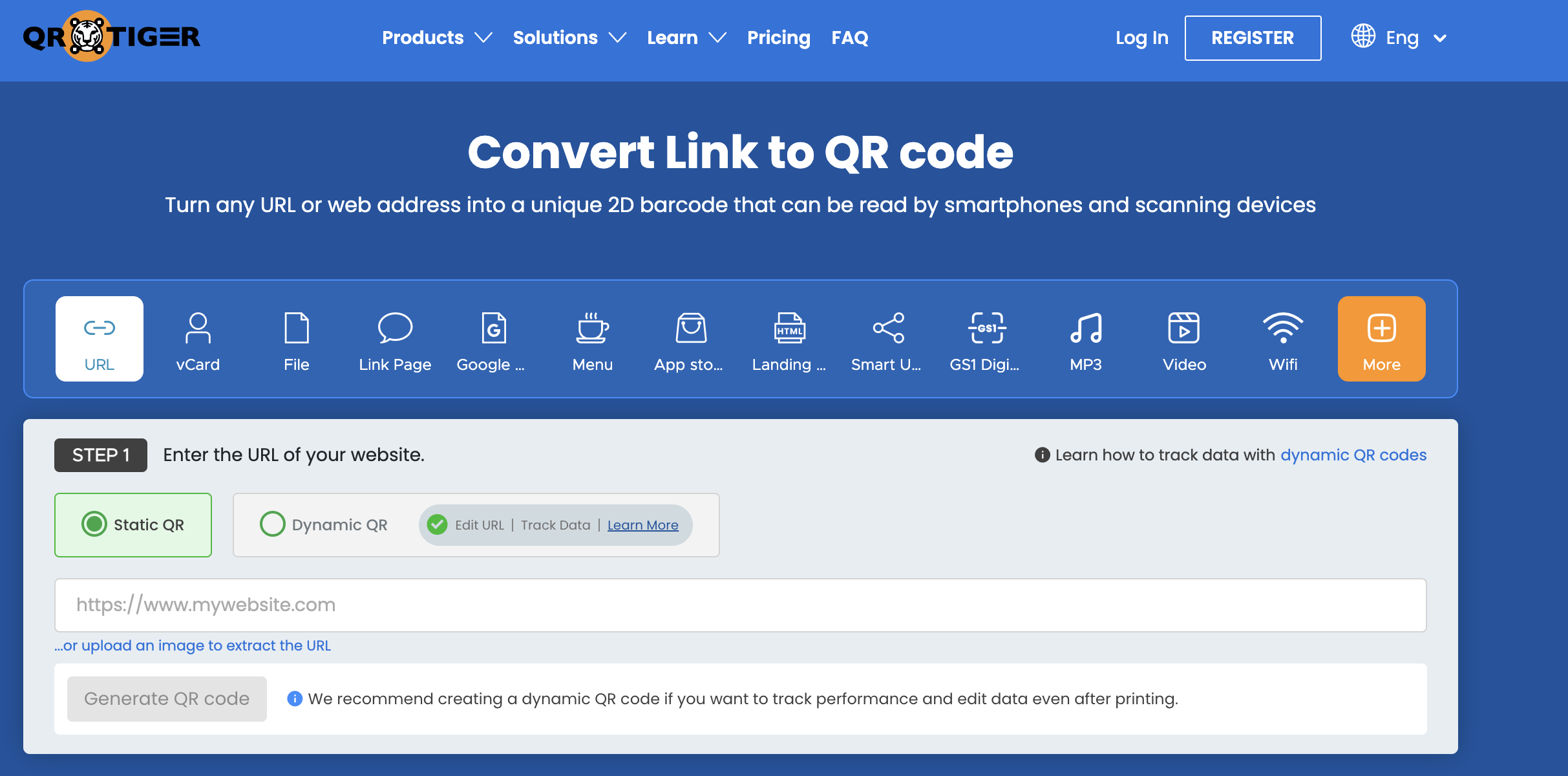
The platform fully supports dynamic codes for website links, meaning if your site gets redesigned, your URL structure changes, or you want to redirect an existing printed code to a new campaign page, you can do that instantly from the dashboard without reprinting anything. For a business that produces ongoing printed materials, that flexibility alone justifies using a dedicated platform over a basic free tool.
The design editor gives you genuine control over how the code looks. You can apply your brand colors, choose from different module and corner eye styles, and embed your logo cleanly in the center with the correct error correction settings applied automatically. The result is a QR code that looks like it was designed specifically for your business rather than generated by a generic tool.
Analytics track every scan with details on timing, device type, and geographic location. For a business running the same QR code across multiple locations, such as different store branches or different versions of a flyer, this data tells you which placement is actually driving traffic to your website, which is information you simply cannot get from a printed URL.
Bulk generation is available if you need multiple codes for different campaigns or locations, and API access supports developers who want to integrate QR code generation directly into their existing systems.
Common Mistakes to Avoid
A handful of mistakes show up repeatedly when businesses create their first website QR code, and they are easy to avoid once you know to look for them.
Linking to a homepage when a specific landing page would serve the purpose better is one of the most common. If your QR code is on a flyer for a particular promotion, sending people to your generic homepage means they have to search for the offer themselves, which adds friction right at the moment you wanted to remove it.
Using a static code without considering future changes is another frequent issue. Many businesses do not think about whether their website might change until after they have printed thousands of business cards with a code that can no longer be updated.
Making the code too small on printed materials is a practical problem that affects scannability. QR codes generally need to be printed at a minimum size, often around two centimeters square or larger depending on the printing surface and lighting conditions, to scan reliably. A code shrunk down to fit a tight corner of a design might look fine visually but fail when someone actually tries to scan it.
Not testing the final printed material before a full production run is a mistake that becomes expensive. Always print a single test copy, scan it under different lighting conditions, and confirm it works before committing to thousands of copies.
Making the Most of Your Website QR Code
Once your code is live, a few practices help maximize the return on the effort.
Pair the code with a brief, clear call to action. A code with no context, just sitting alone on a piece of paper, generates fewer scans than one accompanied by a short prompt like "scan to visit our website" or "scan for our latest menu." People respond to clear instructions even for something as simple as a QR code.
Check your scan analytics periodically if you are using a dynamic code platform. This tells you whether a particular placement, such as a specific flyer design or a specific store location, is performing well, and that information can guide where you invest in future printed materials.
Keep the destination page optimized for mobile. Every person scanning your QR code is doing so on a smartphone, and if the website page they land on is slow to load or difficult to navigate on a small screen, the value of the QR code itself is undermined by a poor landing experience. A QR code is only as good as the page it leads to.
Creating a QR code for your business website is a small task that takes only minutes, but the difference between doing it well and doing it carelessly shows up clearly in how often the code gets scanned and how that traffic converts once it lands on your site. A little attention to the destination, the design, and the platform you use pays off across every piece of material that code ends up on.
Designing and testing your QR codes is easiest on a reliable smartphone. Find the latest models and best prices at Priceka.
Related Posts
- How to Make a QR Code for Your Business Website
- What CS Students Can Learn From Building on Real Ecommerce Platforms Like Magento
- Essential Software Solutions for Scaling a Business in 2026
- Building a Successful Digital Transformation Strategy for Modern Businesses
- Understanding Cardano (ADA) Market Data: A Trader's Guide
- Best Legacy System Modernization Companies for SalesTech Platforms in Europe