



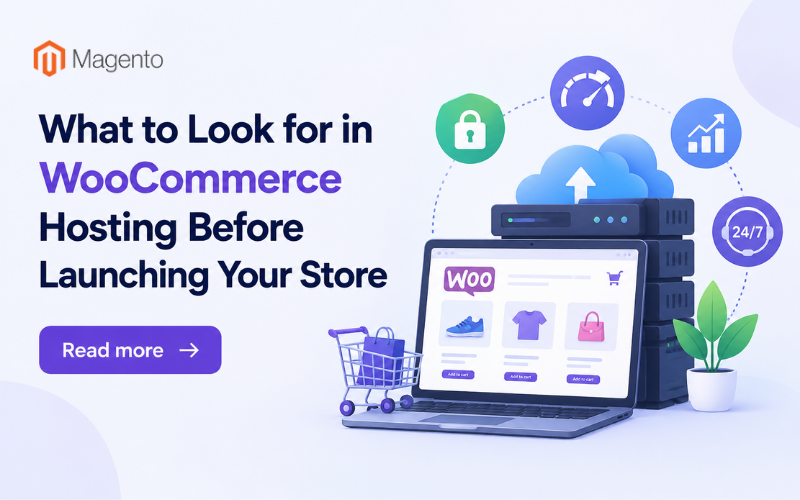
Running an online store on WooCommerce is different from running a standard website. A blog or portfolio site can often get by on basic shared hosting because the technical demands are relatively low. An online store processes payments, manages product databases, handles customer accounts, and runs multiple plugins at the same time. Your WooCommerce hosting needs to support all of that without slowing down.
Selecting the wrong hosting plan before launch can lead to problems that are expensive and time-consuming to fix later. Slow page loads, checkout errors, and downtime during high-traffic periods can drive customers away and cost you sales. Knowing the WooCommerce hosting requirements to check before you commit helps you avoid those problems from the start.
WooCommerce Hosting Requirements: Server Resources
In real-world WooCommerce projects, resource limits often become visible during tasks that are easy to overlook, such as bulk product imports, plugin updates, scheduled actions, and database-heavy operations. Checking CPU and RAM usage during these activities before launch can reveal limitations that a basic page-speed test may miss.
WooCommerce stores use more server resources than most standard websites. Every product page pulls data from a database. Every customer session uses memory. Every checkout transaction requires processing power. If your plan caps CPU, RAM, or storage, your store will slow down as you add more products and customers.
Shared hosting splits these resources across hundreds of sites on the same server. That setup is fine for a small blog, but an online store with even moderate daily visitors will strain against those limits quickly. Before you commit to a plan, check the actual RAM and storage numbers. Some providers advertise "unlimited resources," but the fine print often restricts how much you can use at any given time.
Page Speed
Slow pages cost you sales. A study published by Google found that the probability of a visitor leaving increases by 32% when load time on a mobile site goes from one second to three seconds. For an online store, every extra second between clicking a product and seeing it load is a chance for the customer to leave.
Server response time, the physical distance between the server and the visitor, and how the server processes concurrent requests all affect how fast your pages load. WooCommerce hosting plans built for online stores are set up to handle heavier database queries and plugin loads than generic hosting plans. Server-side caching and optimized PHP settings, both common in these plans, reduce the time it takes for product pages and checkout flows to load.
Security
An online store collects sensitive customer information. Names, email addresses, payment details, and shipping addresses all pass through your site. A security breach exposes that data and damages customer trust in a way that takes a long time to rebuild. Depending on your location and the markets you sell in, a breach can also create legal and compliance problems.
At a minimum, your plan should include SSL certificates, firewalls, and malware scanning. Automatic backups are just as important. If your store goes down or gets compromised, you need to restore it quickly, and losing order data or customer records in the process is not an option. If you plan on running seasonal promotions or flash sales that bring in large surges of traffic, check whether the plan includes DDoS protection as well.
Scalability
Online stores do not have consistent traffic. Product launches, seasonal sales, and marketing campaigns all cause spikes. If your hosting plan has a hard ceiling on resources, those spikes will slow your store down or take it offline at the worst possible time.
A good hosting plan lets you increase resources when traffic rises and reduce them when it drops back to normal levels. This keeps your store fast during busy periods without forcing you to pay for unused capacity year-round. Check whether the plan allows resource upgrades without a full server migration, because that process alone can cause downtime.
Uptime and Support
Every minute your store is down is a minute you are losing sales. Hosting providers typically advertise uptime guarantees, but the number alone does not tell you enough. A 99.9% uptime guarantee still leaves room for roughly eight hours of downtime per year. Find out what the provider does when your store goes down. Do they compensate you for the lost time? How fast do they restore service?
When a plugin conflict breaks your checkout or a database error pulls your product pages offline, general hosting support will not be able to fix it. You need a team with WooCommerce experience that is available around the clock.
Lessons From Testing WooCommerce Hosting Before Launch
Hosting should be tested against the way the store will actually operate, not just against a static homepage. Product imports, plugin updates, checkout requests, scheduled WooCommerce actions, backups, and traffic spikes can all create workloads that are difficult to identify from a basic speed test.
Before launch, test the complete buying journey from product discovery through checkout. At the same time, monitor server resources and response times. This process can expose resource constraints, plugin conflicts, or caching problems while there is still time to fix them.
It is also worth testing backup restoration and contacting support with a realistic WooCommerce problem. These checks provide practical evidence about whether the hosting environment is ready to handle the store after it goes live.
Conclusion
Your hosting plan determines how fast your store loads, how secure customer data is, how well the store handles traffic spikes, and how quickly problems get resolved. Review the server resources, security features, scalability, uptime terms, and support quality before you sign up. A bad hosting choice is far more expensive to fix after launch than before.
Related Posts
- Running Age Checks on a Magento Store After Launch
- Adobe Commerce Website Development: Building a Connected B2B Purchasing Workflow
- Why Ongoing Magento Maintenance Matters for Growing eCommerce Stores
- Ecommerce SaaS vs Custom Ecommerce Software: Which Model Fits Enterprise Retail?
- Integrating Mini-Games into Magento 2 Mobile Apps to Boost Retention
- Why Your App Needs a Content Backend: Pairing Mobile App Development Services With a Headless CMS