


Compare the best VPNs for eCommerce businesses. Discover top options for secure remote access, geo-testing, and scalable team protection.
The best VPN for e-commerce businesses is not always the one with the biggest consumer brand name. Online stores usually need two different things at once: secure remote access for the people running the business, and reliable location-based testing for storefronts, ads, pricing, shipping messages, and checkout flows.
That makes VPN selection especially important for e-commerce teams. But it also means a VPN should be treated as one layer of the stack, not the entire stack. A good VPN can help secure remote access, but it should still sit alongside multi-factor authentication, access controls, and broader security practices.
What Is a VPN for e-Commerce Businesses?
A VPN for e-commerce businesses is a secure connection layer that protects traffic between remote users and company resources. In practice, that can mean employees securely reaching store admin panels, analytics tools, CRM systems, supplier portals, internal dashboards, or company networks from home, while traveling, or from shared workspaces.
For e-commerce specifically, a VPN often serves one of two jobs. The first is operational security: protecting store staff, contractors, and agencies when they access business systems remotely. The second is market testing: checking how a storefront, campaign, or checkout behaves from a specific country or city. Those are not identical use cases, which is why the best VPN for an e-commerce business is rarely a one-size-fits-all answer.
Why a VPN Is Important for e-Commerce Businesses
If your business has remote admins, customer-support agents, marketers, developers, or outside contractors, a VPN helps reduce exposure when those people log in from home networks, hotels, airports, or coworking spaces. That matters even more when those users touch internal tools, order systems, or partner resources.
E-commerce also has a location problem that many other businesses do not. Teams often need to verify region-specific pricing, language, stock messaging, promotions, shipping notices, and payment flows from the customer’s point of view. That is where residential or city-level IP options can matter more than a standard remote-work VPN.
Finally, many e-commerce businesses need allowlisting, least-privilege access, and stronger authentication around sensitive systems. That is why business VPNs that support dedicated IPs, MFA, segmentation, posture checks, or access control are often a better fit than generic consumer VPNs.
Shortlist: Best VPNs for e-Commerce Businesses by Use Case
• Best for geo-testing and localized storefront QA:Mysterium VPN
• Best for remote teams and controlled admin access:NordLayer
• Best for privacy-first organizations:Proton VPN for Business
• Best for zero-trust segmentation at scale:Check Point SASE
• Best for SMBs that need static IP allowlisting:GoodAccess
• Best lightweight option for small teams:Surfshark for Teams
Best VPNs for e-Commerce Businesses: Detailed Reviews
Mysterium VPN
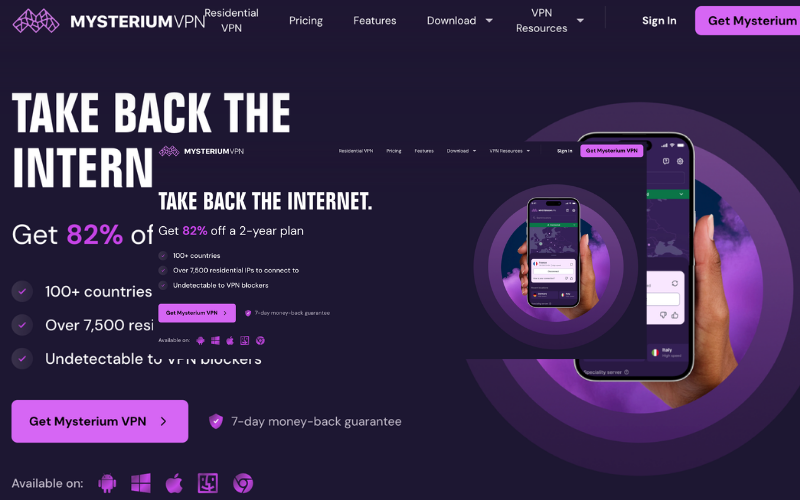
Mysterium VPN is the most distinctive option in this roundup because it is not trying to be a standard business VPN first. Its positioning centers on residential IPs, camouflage mode, decentralized VPN infrastructure, a built-in kill switch, and a privacy model focused on avoiding central servers and personal data logs. For e-commerce teams, that matters because storefront QA often works best when you can see the site more like a real local shopper rather than from a clearly datacenter-style VPN endpoint.
Its higher plans add the features that matter most for commerce testing: 100+ supported countries, 7,500+ residential IPs, and city-level choices. The Pro tier also adds a malware blocker. That makes Mysterium especially strong for checking localized prices, country-specific promos, ad landing pages, market-by-market merchandising, and payment or shipping UX from different regions.
Pros
• Residential IPs and city-level choices are highly useful for e-commerce QA and localized storefront checks
• Strong fit for geo-testing and shopper-like browsing
• Transparent pricing and a 7-day money-back guarantee
Cons
• The Basic plan does not include the residential-IP features that make Mysterium stand out
• Team-admin controls are not as central to the product as they are with business-first VPN platforms
Pricing
• Monthly: Basic $10.49/mo, Plus $13.49/mo, Pro $18.49/mo
• Yearly: Basic $3.69/mo, Plus $4.29/mo, Pro $6.99/mo
• Two-year: Basic $2.59/mo, Plus $3.09/mo, Pro $4.79/mo
NordLayer
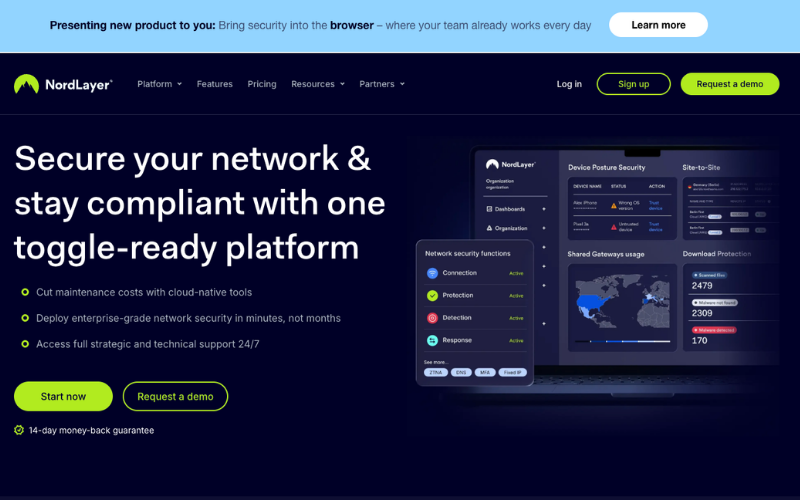
NordLayer is a more conventional answer to the “best VPN for e-commerce businesses” question. Its business VPN offer is clearly built around organizations rather than individual privacy users, with separate positioning for startups, SMBs, and enterprises. It highlights a business control panel, dedicated IP, Custom DNS, split tunneling, traffic encryption, and support for multiple devices per user.
That makes NordLayer a strong fit for store owners and internal teams who care more about secure back-office access than shopper-like residential browsing. Its plans include features such as dedicated IP and IP allowlisting, while higher tiers add Cloud Firewall, device posture security, Site-to-Site connectivity, and Cloud LAN. For brands with remote staff accessing admin consoles, PIMs, ERPs, inventory systems, or shared dashboards, that is a much more business-shaped feature set than a privacy-only VPN.
Pros
• Business-first feature set with dedicated IP, allowlisting, SSO, dashboards, and more advanced controls
• Good fit for startups, SMBs, and enterprises
• Transparent pricing and centralized management
Cons
• Less specialized for shopper-view geo-testing
• Dedicated-IP server setup adds extra cost on some plans
Pricing
• Lite $8/user/month
• Core $11/user/month
• Premium $14/user/month
• Enterprise from $7/user/month
• 5-user minimum on core plans
• Dedicated IP server setup may cost extra
Proton VPN
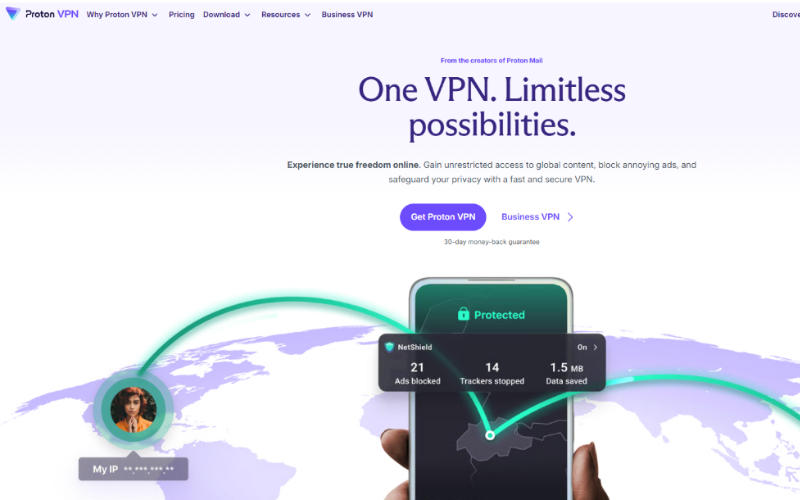
Proton is the privacy-first business option here. Its business VPN materials emphasize open-source apps, independent audits, Secure Core, kill switch protection, ad and malware blocking, Swiss privacy laws, and a large server network across many countries. It also offers dedicated IPs and servers for remote work environments.
For e-commerce businesses, Proton makes the most sense when privacy posture is part of the brand or risk profile. Its business plans include strong privacy and access features, while higher plans add SSO, SCIM, enforced 2FA, gateway monitoring, and dedicated servers with static IPs. That is a strong mix for privacy-sensitive DTC brands, international teams, or organizations that want better access control without moving into full SASE territory.
Pros
• Strong privacy and transparency story
• Large global network plus dedicated server and static IP options
• Generous device support for distributed teams
Cons
• More advanced business controls sit in the higher-tier plan
• Dedicated servers add additional monthly cost
Pricing
• VPN Essentials: $6.99 per user/month
• VPN Professional: $9.99 per user/month
• Dedicated server: +$39.99/server/month
• Minimum 2 users
Check Point SASE
Check Point SASE is the heavyweight in this list. It is not presented as just a VPN. Instead, it combines business VPN, Zero Trust Network Access, Secure Web Gateway, Firewall-as-a-Service, Device Posture Checks, and Data Loss Prevention under one cloud-delivered platform.
That makes Check Point SASE the best fit here for bigger e-commerce organizations: brands with multiple sites, warehouses, agencies, outsourced support, hybrid infrastructure, or tighter segmentation needs. If your concern is not just secure remote login but also reducing lateral movement, enforcing device trust, and centralizing access policy, this is the strongest platform in the roundup.
Pros
• Advanced zero-trust and segmentation capabilities
• Strong fit for larger or more complex e-commerce operations
• Unified security management across multiple access layers
Cons
• More platform than many small stores need
• Public self-serve pricing is not clearly listed
Pricing
• Custom pricing or demo-led pricing
GoodAccess
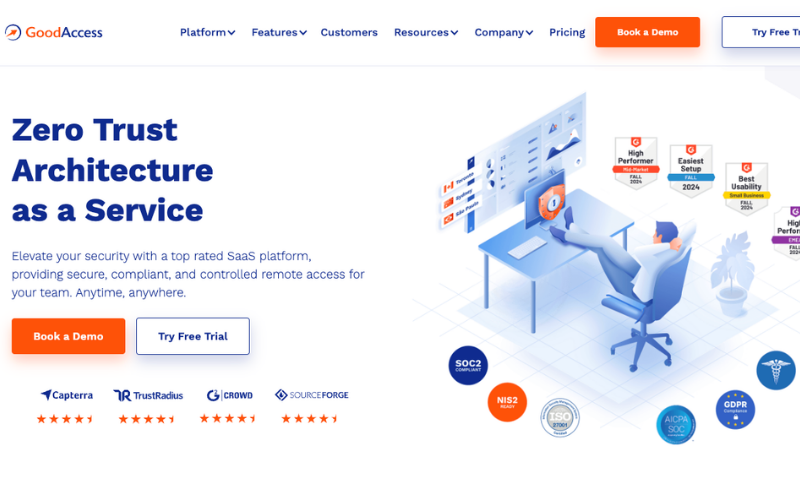 GoodAccess is one of the clearest SMB-focused business VPN options in the market. It is built as a cloud-delivered, zero-hardware business VPN that can be set up quickly. It emphasizes a central dashboard, dedicated VPN gateway, static IP address, split tunneling, SSO, MFA, access logs, and centrally managed network access.
This is especially attractive when your store team needs allowlisted access to admin tools, supplier systems, finance platforms, or internal apps. GoodAccess also promotes secure web access, segmentation, white/blacklisting, and unlimited bandwidth. It is a strong match for e-commerce teams that want secure, fixed-IP access without enterprise-level complexity.
Pros
• Excellent fit for small and medium e-commerce teams
• Strong static-IP and allowlisting capabilities
• Transparent pricing and free trial availability
Cons
• 5-user minimum may be too much for solo merchants
• Dedicated gateways add recurring monthly cost
Pricing
• Annual: Essential $7/user/month, Premium $11/user/month
• Monthly: Essential $9/user/month, Premium $14/user/month
• Dedicated gateway: +$49/month
• Enterprise pricing on request
Surfshark
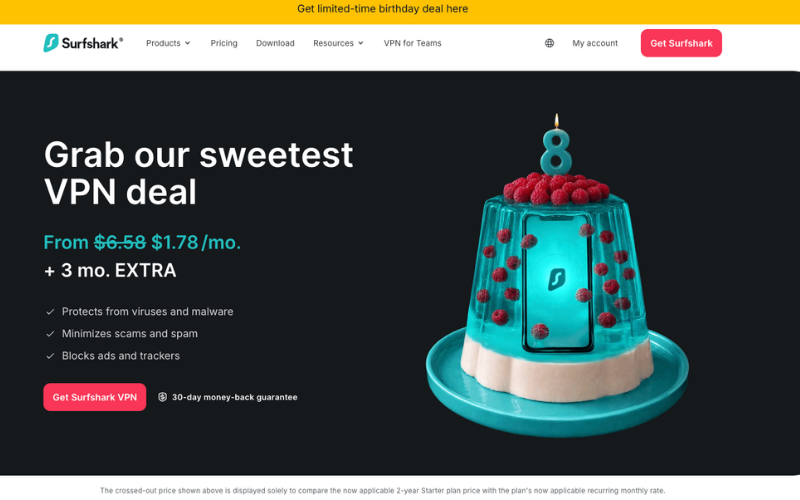
Surfshark for Teams takes a lighter, small-team approach. It emphasizes safe remote work, protecting internal company data, and managing access through an admin panel. It also bundles VPN access with other security and privacy tools depending on the plan.
For e-commerce businesses, that makes Surfshark a reasonable choice when the goal is simple team protection rather than deeper network architecture. Think small remote teams, freelancers, creative collaborators, or early-stage brands that want a fast onboarding path and extra security tools. The tradeoff is that it is less suited to allowlisting-heavy workflows or stricter business oversight.
Pros
• Easy-to-understand small-team packaging
• Competitive pricing for teams
• Good option for lightweight remote-work protection
Cons
• No Dedicated IP in the team offer
• Limited fit for stricter business-admin use cases
Pricing
• Starter from $5.90/user/month
• One from $6.90/user/month
• One+ from $9.40/user/month
• Minimum 5 users
Residential IP vs Dedicated IP for e-Commerce Businesses
This comparison is crucial for e-commerce, even if many people don’t realize it. A residential IP is often better when you want to view the storefront as a shopper in a target market. This is particularly useful for testing localized pages, offers, shipping messages, and checkout behavior.
On the other hand, a dedicated or static IP is more suitable for operational access, especially when a tool or partner needs your business traffic to come from one trusted address. This choice works well for store admin panels, internal systems, supplier portals, and anything that relies on IP allowlisting.
The rule of thumb is simple: use residential IP access for front-end testing and market-specific quality assurance, and use dedicated or static IP access for admin dashboards and internal business systems.
Key VPN Features e-Commerce Businesses Should Compare
The first feature to compare is access control. If your team includes employees, freelancers, agencies, or outsourced support, features like SSO, MFA, gateway monitoring, device posture, and least-privilege policies are more important than just the number of servers.
The second feature is the IP model. If your work relies on IP allowlists, static vendor access, or secure internal tools, dedicated or static IP support is a significant advantage. If your work requires viewing the customer experience from specific markets, residential IPs and city-level selection become crucial.
The third feature is management overhead. Small teams often need easy setup, clear pricing, and low operational burdens. Larger teams may focus more on segmentation, posture enforcement, global backbones, and unified security policies. The price of a subscription is only one element of an e-commerce security budget. Additional costs including VPN services, identity management, employee training, and cybersecurity software can gradually increase the overall investment. Some companies choose to phase these investments over time, while others explore flexible funding solutions for businesses if they prefer to implement their security stack sooner rather than later.
How to Choose the Right VPN for Your e-Commerce Business
If localized testing and geo-sensitive storefront quality assurance are your priorities, start with Mysterium VPN. Its features align well with residential browsing, city-level selection, and shopper-like location testing.
If secure remote access for a growing team is your main concern, NordLayer is a solid option. It operates like a modern business VPN, offering dedicated IP support, centralized control, and organized team features.
For a focus on privacy, choose Proton VPN for Business. It combines business controls with strong privacy measures, secure infrastructure, and advanced admin features in higher plans.
If you need static IP allowlisting without the complexity of enterprise solutions, GoodAccess is likely the best match for small and midsize e-commerce companies.
For large-scale zero-trust architecture, consider Check Point SASE instead.
How to Use a VPN for Geo-Testing, Localized Pricing, and Checkout QA
The safest way to use a VPN for e-commerce testing is to separate customer-view testing from back-office access. Residential or city-level IP tools are better for checking the live storefront as a shopper would see it, while dedicated or static IP tools work best for accessing admin panels, partner dashboards, and allowlisted systems.
This means using the VPN to confirm what changes by region: language, currency, tax notices, shipping promises, product availability, promotional logic, local payment methods, and post-click landing pages.
Keep those testing workflows separate from privileged operational access. This reduces confusion, makes quality assurance clearer, and prevents using one connection type for the wrong task.
VPN Implementation Tips for Store Admin, Support, and Marketing Teams
Start using the VPN with MFA right away. A VPN without MFA is not secure for any e-commerce team that deals with payment-related or account-sensitive systems.
Apply least privilege for internal access. Admins shouldn’t need the same access as agencies, merchandisers, or outsourced support. This is why business VPNs with segmentation, posture checks, and centralized policies are valuable as a business grows.
Finally, keep testing traffic separate from privileged traffic. Use shopper-like access for storefront validation and dedicated business access for systems requiring a trusted company IP. This is usually the cleanest operational pattern for international e-commerce teams.
FAQ
Does an e-commerce business really need a VPN?
If the business has remote employees, contractors, agencies, or partners accessing company resources from outside a controlled office, a VPN is usually worthwhile.
Is a VPN enough for PCI compliance?
No. A VPN can help secure remote access, but it is just one control. Broader security measures are still needed, including MFA, access controls, and proper PCI-aligned processes.
What is better for e-commerce: residential IP or dedicated IP?
Residential IP is generally better for front-end market testing and localized shopper-view checks. Dedicated or static IP is usually better for allowlisted admin tools, internal resources, and vendor systems.
Which VPN is best for a small e-commerce team?
If the team mainly needs secure access and static-IP allowlisting, GoodAccess is the best fit from this list. If the team prefers a lighter bundle with simpler team packaging and added security tools, Surfshark for Teams is a good alternative.
Which VPN is best for geo-testing localized storefronts?
Mysterium VPN is the best option in this list for that purpose, as it aligns closely with residential IPs, city-level choices, and localized testing.
Which VPN is best for larger e-commerce operations?
For larger teams or more complex environments, Check Point SASE is the most capable choice because it offers zero-trust access, posture checks, segmentation, audit trails, and unified policy control. NordLayer is a strong middle ground if you want a business VPN with less complexity.
How much should an e-commerce business expect to pay for a VPN?
It depends on whether you need a privacy-focused tool, a business VPN, or a full access platform. Entry-level pricing can start below $10 per user per month, while more advanced business plans and dedicated gateways or servers can raise the total cost.
Related Posts
- A Community Health Center's Guide to Choosing Clinical Documentation Software on a Tight Budget
- The Secret Weapon Serious Walmart Sellers Are Quietly Adding to Their Toolkit
- Magento Email Deliverability: How It Boosts Revenue & Recovers More Sales
- 7 Best Video Processing and Editing APIs for Developers
- Best VPN for e-Commerce Businesses: Top Picks Compared
- Data-Backed Strategies to Increase Reach and Engagement Faster in Social Media