



Are you looking for magento 2 megamenu extension instead of simple default menu.
Top Amazing Features of Magento 2 Megamenu Are you looking for magento 2 megamenu extension instead of simple default menu. Our magento mega menu 2 let you display a dynamic megamenu without slowing down your site speed. Simultaneously, it helps you to improve navigation and usability for your site. Below, we will show you amazing features that make our Magento 2 Mega Menu become one of the most favourite extensions for magento 2.
1. Magento 2 Megamenu - Create Awesome Menu With Drag n Drop Interface.
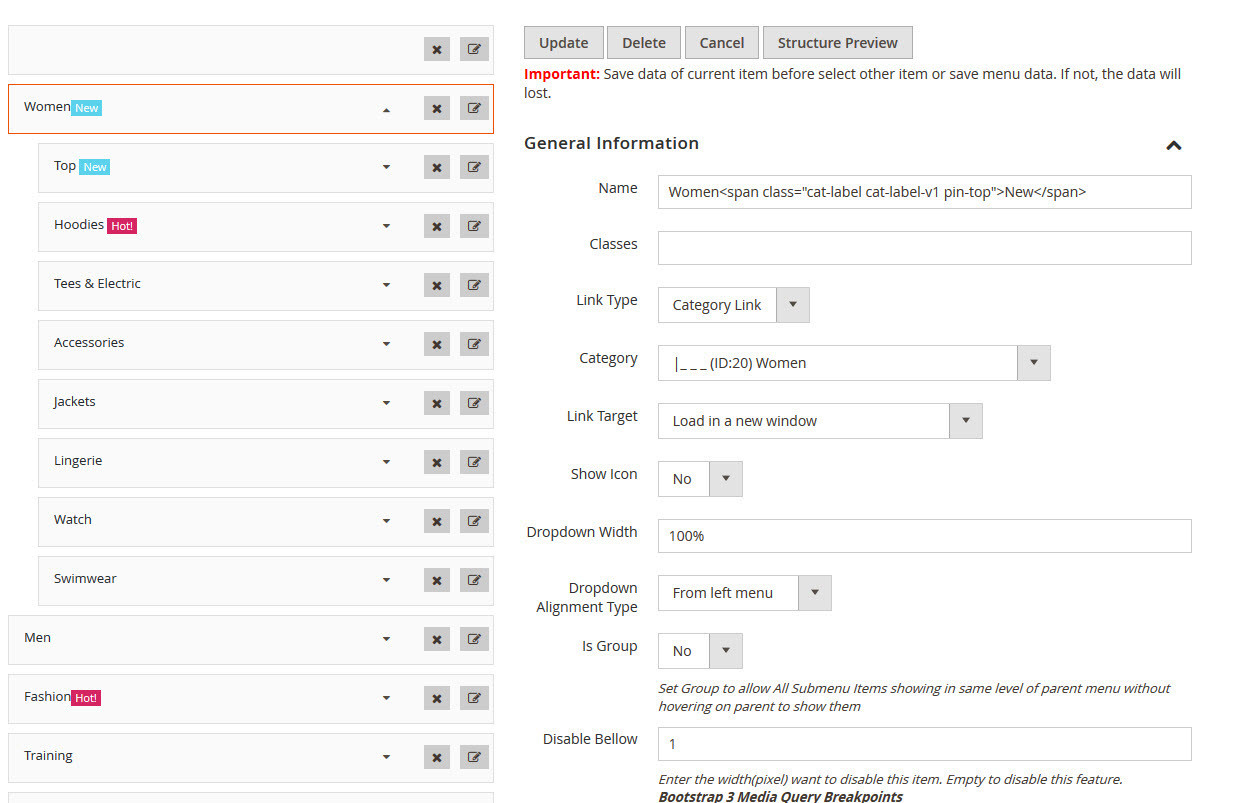
Firstly, if you watched our video tutorials you will see that our magento 2 megamenu comes with intuitive drag n drop features. Thanks to this, you can create and edit any menu items with ease.
Learn more here: https://www.youtube.com/watch?v=8VI7adRjGRQ
2. Show Vertical Menu & Horizontal Menu, Tree Menu.
With our magento 2 mega menu, you can choose to show your own menu with vertical menu, horizontal menu or tree menu. Moreover, it is possible for you to create as many menu as you want and then place theme anywhere as you expect.
Learn more here: https://www.youtube.com/watch?v=wuWWYd4aoW8
3. Create professional menu as you want with the support of multiple submenu types
Professionally show your menu through multiple submenu type including Anchor Text, Dynamic Category Listing, Product Listing, Product Grid, Child menu, Default Category Listing, Content.
Learn more here: https://www.youtube.com/watch?v=qHoJjsRfOWI
4. Offcanvas & Accordion menu
you can choose to show your menu between offcanvas or accordion. Hence, your menu will work reponsively on mobile, desktop. Learn more here
5. Style your megamenu without editing css file
With this magento megamenu 2, you can style your menu easily as a pie: changing width, color, icon or even position without editing css file.
Learn more here: https://www.youtube.com/watch?v=OU9r2A7anhI
Other magento 2 menu video guide
How to install magento 2 mega menu: https://www.youtube.com/watch?v=dBNDrcMCkvk
How to add menu icon & label: https://www.youtube.com/watch?v=T0IMbkLGQ3Q




0 Comments
Write your comment